
Cloud Security Best Practices: A Complete Guide to Protecting Cloud Data and Systems

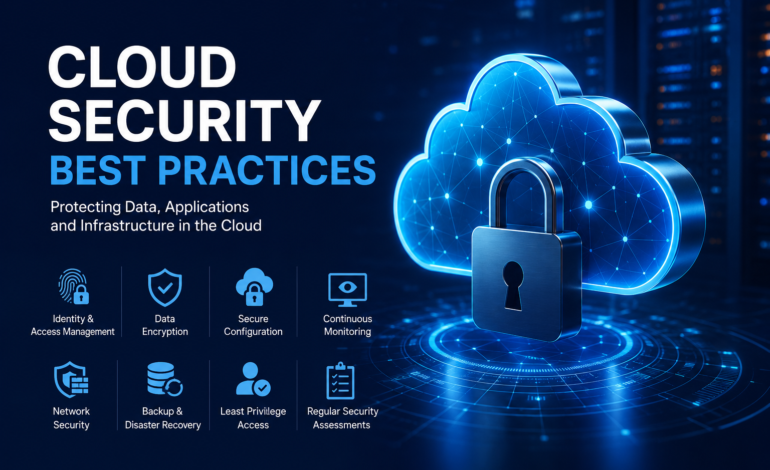
Cloud computing has changed how businesses store data, run applications, manage infrastructure, and deliver digital services. Organizations can scale resources quickly without maintaining all of their computing infrastructure on-site. However, moving workloads to the cloud also introduces security responsibilities that require careful planning.
Best provide a structured approach to protecting environments from unauthorized access, data breaches, malware, misconfiguration, account compromise, and other cyber threats. Effective cloud security is not based on a single security product. Instead, it combines identity management, encryption, access controls, monitoring, secure configuration, backup strategies, vulnerability management, and continuous assessment.
Whether an organization uses public cloud platforms, private infrastructure, hybrid environments, or multiple cloud providers, security should be treated as an ongoing process. Understanding the core principles can help organizations reduce unnecessary risks while maintaining reliable access to applications and data.
What Is Cloud Security?
Cloud security refers to the technologies, policies, procedures, and controls used to protect cloud-based infrastructure, applications, networks, accounts, and data. It covers both technical and operational measures designed to prevent unauthorized activity and minimize the impact of security incidents.
Unlike traditional on-premises environments, cloud infrastructure is highly dynamic. Resources can be created, modified, scaled, and removed within minutes. This flexibility creates efficiency but can also introduce security gaps when resources are poorly configured or access permissions are not reviewed regularly.
Cloud security therefore requires visibility across users, applications, devices, workloads, storage systems, APIs, databases, and network connections. A strong security strategy should protect information throughout its lifecycle, from creation and storage to transmission, processing, archival, and deletion.
Why Cloud Security Is Important
Cloud environments often contain sensitive business information, customer records, application data, credentials, financial information, intellectual property, and operational systems. If these resources are compromised, the consequences can include financial losses, service disruption, regulatory problems, reputational damage, and loss of customer trust.
One of the most common cloud security problems is not necessarily an advanced cyberattack. Misconfiguration can expose storage, databases, applications, or administrative interfaces to unauthorized users. Weak passwords and excessive permissions can create similar risks by allowing attackers to gain access through compromised accounts.
Strong cloud security reduces these risks by limiting unnecessary access, protecting data, detecting suspicious behavior, and creating recovery options when incidents occur.
1. Use Strong Identity and Access Management
Identity and Access Management, commonly called IAM, is one of the most important components of cloud security. IAM determines who can access cloud resources, what they can access, and which actions they are permitted to perform.
Organizations should create individual accounts rather than relying on shared administrative credentials. Each employee, administrator, application, and service should have an appropriate identity with clearly defined permissions.
Access should also be reviewed regularly. Employees can change roles, projects can end, and temporary permissions may become unnecessary. Keeping old accounts and unused privileges increases the potential attack surface.
A strong IAM strategy should include unique identities, role-based permissions, secure authentication, periodic access reviews, and immediate removal of unnecessary accounts.
2. Apply the Principle of Least Privilege
The principle of least privilege means giving users and systems only the permissions they actually need to perform their responsibilities.
For example, an employee who only needs to read application reports should not automatically receive permission to delete databases or modify security settings. Similarly, an application should not receive administrative access when it only needs to retrieve specific data.
Least privilege reduces the potential damage caused by compromised credentials. If an account is breached, limited permissions can prevent an attacker from accessing every resource within the environment.
Permission management should therefore be treated as an ongoing process rather than a one-time configuration task.
3. Enable Multi-Factor Authentication
Passwords alone provide limited protection against modern account-based attacks. Credentials can be exposed through phishing, malware, password reuse, data breaches, or social engineering.
Multi-factor authentication adds another verification requirement beyond the password. Depending on the environment, this may involve an authentication application, hardware security key, biometric verification, or another approved authentication method.
MFA should be enabled particularly for administrative accounts and other identities with access to sensitive cloud resources. Protecting privileged accounts is especially important because they can control large portions of cloud infrastructure.
4. Encrypt Sensitive Cloud Data
Encryption protects information by converting readable data into a protected format that requires an appropriate cryptographic key for access.
Cloud data should be considered from two major perspectives: data at rest and data in transit.
Data at rest includes information stored in databases, object storage, backups, virtual machines, and other cloud services. Data in transit refers to information moving between users, applications, servers, APIs, and cloud environments.
Encryption helps reduce the consequences of unauthorized access because exposed data may remain unusable without the appropriate cryptographic keys. Organizations should also manage encryption keys carefully, restrict access to them, and establish appropriate key rotation and lifecycle policies.
5. Secure Cloud Storage
Cloud storage can become a major security risk when access settings are incorrectly configured. Publicly accessible storage resources may expose sensitive information to anyone who can reach them.
Storage permissions should therefore be configured according to business requirements rather than convenience. Public access should be disabled unless there is a legitimate reason for making specific information publicly available.
Organizations should also monitor storage permissions, review access policies, protect sensitive objects, and maintain appropriate logging. Automated configuration checks can help identify accidental exposure before it becomes a serious incident.
6. Protect APIs and Application Interfaces
Application Programming Interfaces, or APIs, allow applications and services to communicate with cloud resources. Because APIs can provide access to important systems and data, they are an important part of cloud security.
APIs should use strong authentication and authorization mechanisms. Access should be restricted according to the specific operation being performed rather than granting broad permissions.
Rate limiting, input validation, secure API keys, logging, monitoring, and regular security testing can further reduce API-related risks. Credentials and secret keys should never be unnecessarily embedded in publicly accessible source code or application files.
7. Maintain Secure Cloud Configurations
Cloud platforms provide extensive configuration options. A small mistake in networking, storage, identity permissions, firewall rules, or security settings can create significant exposure.
Secure configuration management should establish approved settings for cloud resources and continuously compare deployed infrastructure against those requirements.
Configuration reviews should cover areas such as:
- Identity and access permissions
- Storage accessibility
- Network security rules
- Firewall configurations
- Encryption settings
- Logging and monitoring
- Public exposure
- API permissions
- Backup settings
- Administrative accounts
Automated security configuration tools can help identify deviations and reduce the time required to discover misconfigured resources.
8. Segment Cloud Networks
Network segmentation separates systems and resources into controlled security zones. Instead of allowing unrestricted communication between every workload, organizations can limit traffic according to application requirements.
For example, a public-facing application server may need communication with a specific database, but it may not require direct access to administrative systems or unrelated workloads.
Segmentation can limit lateral movement during a security incident. If an attacker compromises one workload, properly designed network boundaries can make it more difficult to move toward sensitive resources.
Virtual networks, private subnets, firewall policies, security groups, network access controls, and other cloud networking mechanisms can be used to implement these boundaries.
9. Monitor Cloud Activity Continuously
Security controls are most effective when organizations can detect unusual activity. Cloud monitoring provides visibility into authentication events, administrative changes, network behavior, resource activity, and other important events.
Logging should cover security-relevant actions and be stored in a way that prevents unauthorized modification or deletion. Important events can then be analyzed for suspicious patterns.
Examples of activities that may require investigation include repeated failed authentication attempts, unexpected administrative changes, unusual data transfers, creation of unknown accounts, unexpected resource deployment, and access from unusual locations or devices.
Continuous monitoring helps security teams move from simply preventing threats to detecting and responding to them.
10. Protect Privileged Accounts
Privileged accounts have elevated permissions and can often change security configurations, access sensitive information, create identities, or modify infrastructure.
Because of their power, these accounts should receive additional protection. Administrative privileges should be assigned only when necessary, and privileged actions should be logged and monitored.
Organizations can also separate everyday user accounts from administrative accounts. This reduces the likelihood that a compromised standard account can immediately be used to perform high-impact administrative actions.
Regular reviews should identify unnecessary privileged access and remove permissions that are no longer required.
11. Keep Cloud Systems and Applications Updated
Vulnerabilities in operating systems, applications, libraries, containers, and other components can provide attackers with opportunities to compromise cloud workloads.
Patch management should therefore be incorporated into the cloud security program. Organizations should maintain an inventory of important software and monitor relevant security updates.
Automated deployment and infrastructure management can make patching more consistent, but updates should still be tested appropriately before they are introduced into critical production environments.
Security scanning can also help identify outdated components and known vulnerabilities.
12. Use Secure Backup and Disaster Recovery
Security does not end with preventing unauthorized access. Organizations also need a plan for recovering from incidents such as ransomware, accidental deletion, system failures, or destructive attacks.
Important cloud data should be backed up according to business requirements. Backup copies should have appropriate access controls and should be protected from unauthorized modification or deletion.
Recovery procedures should be tested rather than simply documented. A backup strategy is only useful if data can be restored successfully within an acceptable timeframe.
Organizations should define recovery objectives, identify critical systems, document restoration procedures, and periodically conduct recovery exercises.
13. Establish a Cloud Incident Response Plan
Even strong security controls cannot guarantee that every security incident will be prevented. An incident response plan prepares an organization to react quickly when suspicious activity is discovered.
The plan should define responsibilities, communication procedures, investigation steps, containment methods, recovery processes, and post-incident review activities.
For example, if an administrator account is compromised, the response process may include disabling or securing the account, rotating affected credentials, reviewing recent activity, identifying accessed resources, containing the threat, and restoring normal operations.
Regular exercises can help identify weaknesses in the response process before a real incident occurs.
14. Secure Containers and Cloud-Native Workloads
Modern cloud environments frequently use containers, microservices, serverless applications, and infrastructure-as-code systems. These technologies introduce additional security considerations.
Container images should be obtained from trusted sources and scanned for known vulnerabilities. Unnecessary packages and permissions should be removed to reduce the attack surface.
Infrastructure-as-code templates should also undergo security reviews before deployment. Automated scanning can identify risky configurations before they reach production.
Security should be integrated into the development lifecycle rather than added only after an application has been deployed.
15. Manage Secrets Securely
Applications often require passwords, API keys, database credentials, certificates, and access tokens. Storing these secrets directly in source code or configuration files can create serious security risks.
A dedicated secrets-management solution can provide controlled storage and access for sensitive credentials. Applications should receive only the secrets they require, and access should be monitored.
Credentials should also be rotated according to organizational security requirements, especially when there is evidence that a secret may have been exposed.
16. Train Employees About Cloud Security
Technology alone cannot eliminate security risks. Employees interact with cloud applications, email systems, documents, administrative tools, and business data every day.
Security awareness training should explain common threats such as phishing, credential theft, malicious links, unsafe file sharing, social engineering, and improper handling of sensitive information.
Administrators and developers may require additional training related to IAM, cloud architecture, secure coding, infrastructure configuration, logging, and incident response.
A security-aware workforce provides an important additional layer of protection.
17. Follow a Shared Responsibility Model
Cloud security responsibilities are divided between the cloud provider and the customer. The exact responsibilities vary depending on the service model and provider.
Generally, the cloud provider is responsible for securing the underlying infrastructure and services it operates, while customers remain responsible for aspects such as identities, data, applications, configurations, and access permissions.
Understanding this division is essential because using a reputable cloud provider does not automatically secure every workload.
Organizations should clearly identify which security responsibilities belong to the provider and which must be managed internally.
18. Perform Regular Security Audits
Cloud environments change continuously. New users, applications, storage resources, APIs, workloads, and network connections may be introduced over time.
Regular security assessments can help identify weaknesses before attackers discover them. Reviews should examine access permissions, configurations, vulnerabilities, logging, encryption, backups, network controls, and compliance requirements.
Security audits should also verify that documented policies match actual cloud configurations. A policy is valuable only when its requirements are consistently implemented.
Best Checklist
| Security Area | Recommended Practice |
|---|---|
| Identity | Use unique accounts and centralized IAM |
| Authentication | Enable multi-factor authentication |
| Permissions | Apply least-privilege access |
| Data | Encrypt sensitive information |
| Storage | Prevent unnecessary public access |
| APIs | Use strong authentication and authorization |
| Networks | Apply segmentation and traffic controls |
| Monitoring | Enable security logging and continuous monitoring |
| Vulnerabilities | Patch and scan systems regularly |
| Backups | Maintain secure and tested backups |
| Privileged Access | Restrict and monitor administrative accounts |
| Secrets | Store credentials in secure secrets-management systems |
| Applications | Use secure development practices |
| Incident Response | Maintain and test response procedures |
| Compliance | Review applicable regulatory requirements |
| Training | Educate users and administrators |
Common Cloud Security Mistakes to Avoid
Some cloud security problems are caused by simple operational mistakes rather than sophisticated attacks. Leaving storage publicly accessible, granting excessive permissions, failing to enable MFA, using shared administrator accounts, and ignoring security logs can create unnecessary exposure.
Another common mistake is assuming that the cloud provider handles every aspect of security. Cloud customers still have responsibilities for their applications, identities, data, and configurations.
Organizations should also avoid treating security as a one-time project. Cloud infrastructure changes frequently, which means a configuration that was secure several months ago may no longer meet current requirements.
How to Build a Strong Cloud Security Strategy
A practical cloud security strategy should begin with visibility. Organizations need to know what cloud resources exist, which identities can access them, where sensitive information is stored, and how workloads communicate.
The next step is risk prioritization. Not every resource has the same security importance. Critical databases, privileged accounts, customer information, and production systems usually require stronger controls than low-risk development resources.
Security controls can then be implemented around identity, access, encryption, network protection, monitoring, vulnerability management, backup, and incident response. Automation should be used where appropriate to detect configuration changes and enforce security standards consistently.
Finally, the security program should be reviewed continuously. Metrics, audit results, incidents, vulnerability findings, and changes in cloud architecture can provide useful information for improving the overall security posture.
Cloud Security Best for Small Businesses
Small businesses may not have dedicated security teams, but they can still establish strong foundational controls. Multi-factor authentication, secure passwords, least-privilege access, encrypted data, regular backups, software updates, and basic monitoring can significantly improve protection.
It is also useful to maintain an inventory of cloud services and accounts. Unused accounts and unnecessary services should be removed because they can increase the attack surface.
Small businesses should prioritize their most valuable data and critical applications first. A focused security strategy that protects essential resources is often more practical than attempting to implement every advanced security technology immediately.
Best for Enterprises
Large organizations typically operate more complex environments involving multiple teams, accounts, applications, regions, and cloud platforms. Enterprise cloud security therefore requires centralized visibility, standardized policies, automated controls, and strong governance.
Identity federation, role-based access, security information and event management, automated compliance checks, vulnerability management, network segmentation, data-loss prevention, and centralized logging can support enterprise-scale security operations.
Organizations operating across multiple cloud providers should also establish consistent security policies while accounting for differences between individual platforms.
Frequently Asked Questions
What are the most important best?
The most important practices include strong identity management, multi-factor authentication, least-privilege access, encryption, secure configuration, network segmentation, continuous monitoring, vulnerability management, secure backups, and an effective incident response process.
Why is multi-factor authentication important for cloud security?
Multi-factor authentication provides an additional verification layer beyond a password. If a password is stolen or exposed, an attacker may still be unable to access the account without the additional authentication factor.
What is the principle of least privilege?
Least privilege means providing users, applications, and systems only the permissions required to perform their intended tasks. This reduces unnecessary access and limits potential damage if an identity is compromised.
How can cloud storage be secured?
Cloud storage can be secured by restricting public access, applying appropriate identity permissions, encrypting sensitive information, monitoring access, reviewing configurations, and maintaining secure backups.
Is cloud computing secure?
Cloud computing can provide strong security capabilities, but security depends on how the cloud environment is designed, configured, monitored, and managed. Using a cloud provider does not remove the customer’s responsibility for securing data, identities, applications, and configurations.
How often should cloud security be reviewed?
Cloud security should be monitored continuously, while formal reviews and access assessments should occur regularly according to organizational risk, regulatory requirements, and the rate at which the environment changes.
Conclusion
Cloud security requires a combination of technology, processes, governance, and user awareness. Organizations can reduce their exposure by implementing strong identity controls, limiting permissions, encrypting sensitive information, securing cloud storage, protecting APIs, monitoring activity, maintaining updated systems, and preparing reliable recovery procedures.
The most effective approach is continuous rather than reactive. Cloud environments evolve quickly, so security policies and configurations should evolve with them. By treating security as an ongoing part of cloud operations, organizations can protect critical information, reduce the impact of security incidents, and build a more resilient digital infrastructure.