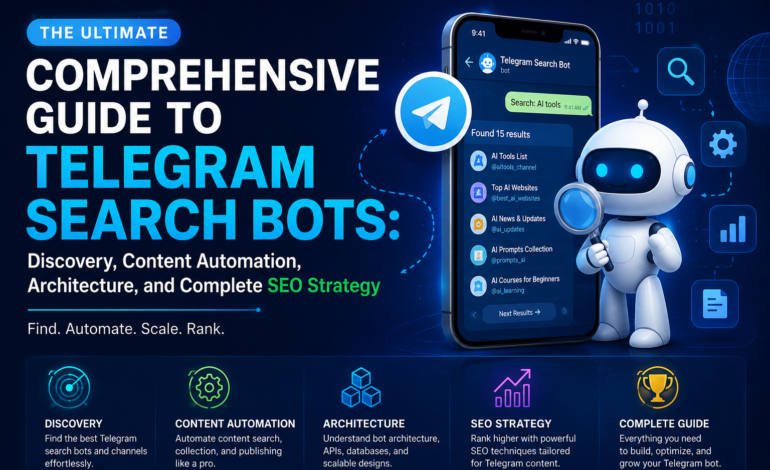
The Ultimate Comprehensive Guide to Telegram Search Bots: Discovery, Content Automation, Architecture, and Complete SEO Strategy

In the rapidly evolving landscape of digital messaging platforms, Telegram has transformed from a simple peer-to-peer chat application into a massive, decentralized data ecosystem. With hundreds of millions of active global users, the network hosts an immense volume of public channels, specialized broadcast groups, open-source file archives, and community forums.
However, locating specific information, files, or specialized communities across this massive repository can be difficult using native application interfaces alone. Telegram search bots bridge this fundamental gap by serving as intelligent, automated query engines capable of indexing, filtering, and retrieving data in real time.
This guide provides an exhaustive analysis of Telegram search bots, covering their technical architecture, practical applications for content optimization, step-by-step code execution, enterprise deployment strategies, and security protocols.
What is a Telegram Search Bot and How Does It Work?
A Telegram search bot is an automated application program interface (API) client integrated directly into the messaging infrastructure. Unlike standard chat accounts operated by humans, these automated entities run on dedicated server environments or cloud microservices, listening for specific events, slash commands, or inline queries dispatched by users.
+-----------------------------------------------------------------------+
|                         Telegram Client Application                    |
|                                                                       |
|  [User Types Command] ──> /search "Semantic Query Term"                |
+-----------------------------------------------------------------------+
                                   │
                                   │ HTTPS Webhook / Long Polling
                                   ▼
+-----------------------------------------------------------------------+
|                        Bot Application Server                         |
|                                                                       |
|  1. Parse Command Payload & Extract Parameters                        |
|  2. Sanitize Query Input against Injection Vulnerabilities            |
|  3. Dispatch API Query to Local Database or External Engine          |
+-----------------------------------------------------------------------+
                                   │
                                   │ Database Call / REST Request
                                   ▼
+-----------------------------------------------------------------------+
|                    Data Indexing & Storage Engine                     |
|                                                                       |
|  • PostgreSQL / MongoDB (Structured Meta Indexes)                     |
|  • ElasticSearch / Meilisearch (Full-Text Inverted Index)             |
|  • External APIs (Google, Tavily, Custom Web Scrapers)               |
+-----------------------------------------------------------------------+
                                   │
                                   │ Return JSON Search Payload
                                   ▼
+-----------------------------------------------------------------------+
|                         Bot Application Server                        |
|                                                                       |
|  1. Construct HTML / Markdown Response Message                        |
|  2. Apply Inline Keyboard UI Buttons & Pagination Flags                |
|  3. Call Telegram API Endpoint: sendMessage / answerInlineQuery       |
+-----------------------------------------------------------------------+
                                   │
                                   │ JSON Output Payload
                                   ▼
+-----------------------------------------------------------------------+
|                         Telegram Client Application                    |
|                                                                       |
|  [Render Search Results with Interactive Clickable Elements]          |
+-----------------------------------------------------------------------+
When a user submits a search command, the bot platform intercepts the payload, extracts the query string, cleanses the input, and executes a database or web API lookup. The parsed results are then formatted into readable text, structured tables, or interactive inline keyboard lists before being transmitted back to the user’s interface.
Technical Architecture: Long Polling vs. Webhooks
Developers building search interfaces on Telegram must choose between two primary architecture patterns for receiving update payloads from the Telegram Bot API server: Long Polling and Webhooks.
| Architectural Attribute | Long Polling Methodology | Webhook Push Architecture |
| Connection Type | Persistent outgoing HTTP requests | Incoming HTTPS POST callbacks |
| Server Requirement | Minimal (Can run behind NAT/Firewalls) | Demands public IP & SSL Certificate |
| Latency Profile | Variable (Dependent on poll intervals) | Near zero-latency (Real-time trigger) |
| Infrastructure Scalability | Harder to scale horizontally | Highly scalable via Serverless / Lambda |
| Network Overhead | High continuous bandwidth usage | Low overhead (Transmits on activity only) |
| Implementation Complexity | Low (Ideal for local testing) | Moderate to High (Requires reverse proxy) |
Categorization of Telegram Indexing and Discovery Tools
Automated retrieval systems operating on Telegram can be categorized by their operational scope and database underlying structure.
1. Media and File Discovery Engines
These automated tools continuously index public channel uploads, cataloging metadata such as document titles, file extensions, MIME types, and file sizes. Users can query vast remote storage repositories without downloading massive directory logs locally.
2. Group and Channel Directory Indexers
Because native search engines prioritize high-volume verified accounts, niche public communities can be difficult to locate. Directory tools curate public chat links based on user tags, language preferences, geographic locations, and topic classifications.
3. Inline Query Processing Tools
Inline tools operate seamlessly across any chat window without requiring formal group administration rights. By typing the bot’s username followed by a query parameter (e.g., @searchbot SEO techniques), users receive dynamic drop-down suggestions that can be inserted into active conversations instantly.
4. AI-Powered Research and SEO Tools
Advanced research tools combine web scraping routines, natural language processing (NLP) models, and search engine integration. Content strategists use these tools to perform rapid topic research, extract semantic keywords, and build content briefs directly within Telegram chat threads.
Integrating Telegram Automation into SEO and Content Workflows
For digital marketers, managing long-form editorial strategies requires rigorous research, competitor analysis, and structural keyphrase mapping. Incorporating custom indexing tools into messaging platforms streamlines these tasks into a single workspace.
1. Semantic Topic Discovery and Latent Semantic Indexing (LSI)
When connected to modern search APIs, custom research tools pull live search engine result pages (SERPs) to isolate semantic keyword clusters, related search entities, and common user questions (FAQs).
Target Keyword Phase ──> Bot Processing ──> Semantic Entity Extraction ──> LSI Keyword List
Integrating LSI keyphrases naturally throughout content ensures high semantic relevance for search engine algorithms without risking keyphrase density flags.
2. Real-Time Content Auditing and Structure Validation
Constructing long-form content requires strict adherence to readability standards and structural guidelines. Automated review tools can evaluate text drafts, measure average sentence length, verify heading hierarchies, and calculate keyphrase distributions before publishing.
Developing a Custom Search Bot in Python
This section provides a complete, production-ready Python script using the python-telegram-bot framework (v20+ asynchronous implementation). This example accepts user queries, calls a REST search API, formats the JSON payload into styled HTML, and returns the results to the user.
Python
import logging
import asyncio
import aiohttp
from typing import List, Dict, Any
from telegram import Update, InlineKeyboardButton, InlineKeyboardMarkup
from telegram.ext import (
ApplicationBuilder,
CommandHandler,
ContextTypes,
MessageHandler,
filters
)
# Configure comprehensive logging output
logging.basicConfig(
format='%(asctime)s - %(name)s - %(levelname)s - %(message)s',
level=logging.INFO
)
logger = logging.getLogger(__name__)
# Configuration Constants
TELEGRAM_BOT_TOKEN = "YOUR_PRODUCTION_API_TOKEN_HERE"
SEARCH_ENDPOINT_URL = "https://api.duckduckgo.com/"
async def start_command_handler(update: Update, context: ContextTypes.DEFAULT_TYPE) -> None:
"""
Handles the /start command. Displays welcome messages and operational guidance.
"""
welcome_text = (
"<b>Welcome to the Enterprise Information Discovery Bot</b>\n\n"
"Use this tool to search internal documentation, index web data, and collect research.\n\n"
"<b>Available Commands:</b>\n"
"• <code>/search <query></code> - Perform a live web search\n"
"• <code>/help</code> - View operating instructions and system status"
)
if update.message:
await update.message.reply_text(welcome_text, parse_mode="HTML")
async def execute_remote_search(query: str) -> List[Dict[str, Any]]:
"""
Executes an asynchronous HTTP GET request to an external search provider.
Returns a list of parsed search result items.
"""
params = {
'q': query,
'format': 'json',
'no_redirect': '1',
'no_html': '1'
}
async with aiohttp.ClientSession() as session:
try:
async with session.get(SEARCH_ENDPOINT_URL, params=params, timeout=10) as response:
if response.status == 200:
data = await response.json()
results = []
# Extract Abstract standard result if present
if data.get("AbstractURL") and data.get("Heading"):
results.append({
"title": data.get("Heading"),
"url": data.get("AbstractURL"),
"snippet": data.get("Abstract", "No detailed summary available.")
})
# Process Related Topics list
for topic in data.get("RelatedTopics", [])[:5]:
if "FirstURL" in topic and "Text" in topic:
results.append({
"title": topic["Text"][:60] + "...",
"url": topic["FirstURL"],
"snippet": topic["Text"]
})
return results
else:
logger.error(f"Search API returned error status: {response.status}")
return []
except Exception as error:
logger.error(f"Exception during remote API request execution: {error}")
return []
async def search_command_handler(update: Update, context: ContextTypes.DEFAULT_TYPE) -> None:
"""
Parses user inputs, triggers search requests, and returns formatted HTML responses.
"""
if not update.message:
return
# Join multi-word command arguments into a single search string
user_query = " ".join(context.args) if context.args else ""
if not user_query:
await update.message.reply_text(
"<b>Error:</b> Query string missing.\n"
"<i>Usage Example:</i> <code>/search artificial intelligence developments</code>",
parse_mode="HTML"
)
return
status_message = await update.message.reply_text(
f"Searching databases for: <code>{user_query}</code>...",
parse_mode="HTML"
)
search_results = await execute_remote_search(user_query)
if not search_results:
await status_message.edit_text(
f"No verified results returned for: <code>{user_query}</code>",
parse_mode="HTML"
)
return
# Build response message body using clean HTML elements
response_body = f"<b>Search Results for:</b> <code>{user_query}</code>\n\n"
keyboard_buttons = []
for index, item in enumerate(search_results[:4], start=1):
response_body += (
f"<b>{index}. <a href='{item['url']}'>{item['title']}</a></b>\n"
f"<i>Summary:</i> {item['snippet'][:150]}...\n\n"
)
keyboard_buttons.append(
[InlineKeyboardButton(text=f"Result {index} Link", url=item['url'])]
)
reply_markup = InlineKeyboardMarkup(keyboard_buttons)
await status_message.edit_text(
text=response_body,
parse_mode="HTML",
disable_web_page_preview=True,
reply_markup=reply_markup
)
def main() -> None:
"""
Initializes application instance, binds command handlers, and starts event processing.
"""
application = ApplicationBuilder().token(TELEGRAM_BOT_TOKEN).build()
# Register handlers
application.add_handler(CommandHandler("start", start_command_handler))
application.add_handler(CommandHandler("search", search_command_handler))
logger.info("Bot engine initialized. Starting polling update loop...")
application.run_polling()
if __name__ == "__main__":
main()
Step-by-Step Implementation Guide
To set up, configure, and launch this Python search bot, follow the structured procedure outlined below:
1.Register Bot with BotFather:Obtain OAuth Credentials.
Locate the official @BotFather account in Telegram. Issue the /newbot command, provide a descriptive display name, and set a unique username ending in bot. Save the generated API token securely.
2.Configure Environment:Install Python Dependencies.
Set up a virtual environment and install the required asynchronous libraries using pip:
pip install python-telegram-bot aiohttp
3.Deploy Application Script:Local Execution & Cloud Hosting.
Save the Python script locally as search_bot.py. Replace TELEGRAM_BOT_TOKEN with your actual API key, then run the script:
python search_bot.py
4.Production Hardening:Process Management & Logging.
Deploy the script to a Cloud VPS. Use a process manager like systemd or pm2 to automatically restart the application if the server reboots or encounters an unhandled exception.
Advanced Architecture: Database Storage and Indexing Models
When scaling a search tool to index millions of records, querying external web APIs for every request can cause performance bottlenecks and rate limits. Building an internal inverted index ensures low latency and reliable uptime.
                  RAW CONTENT SOURCE
                          │
                          ▼
            [Text Parsing & Tokenization]
                          │
                          ▼
          [Stopword Removal & Lemmatization]
                          │
                          ▼
             [Inverted Index Generation]
                          │
                          ▼
+---------------------------------------------------+
| Term       | Document Postings Reference List     |
|------------|--------------------------------------|
| "telegram" | Doc_101 (Pos: 2), Doc_405 (Pos: 12) |
| "search"   | Doc_101 (Pos: 3), Doc_202 (Pos: 1)  |
| "bot"      | Doc_101 (Pos: 4), Doc_880 (Pos: 5)  |
+---------------------------------------------------+
PostgreSQL vs. ElasticSearch for Inverted Indexing
+-----------------------------------------------------------------------+
|                 Relational Database (PostgreSQL)                      |
|                                                                       |
|  • Full-Text Search via tsvector and tsquery data types               |
|  • GIN (Generalized Inverted Index) for low-latency lookups           |
|  • Ideal for structured transactional data with under 5M records      |
+-----------------------------------------------------------------------+
                                   │
                                   │ Upgrade Path (Data Volumetric Growth)
                                   ▼
+-----------------------------------------------------------------------+
|               Distributed Search Engine (ElasticSearch)                |
|                                                                       |
|  • Cluster-based distributed node architecture                        |
|  • Built-in BM25 relevance scoring algorithms                         |
|  • Sub-millisecond response times across tens of millions of records  |
+-----------------------------------------------------------------------+
Security, Compliance, and Abuse Prevention Protocols
Operating automated discovery tools requires strict security controls to protect hosting environments, respect user privacy, and remain compliant with Telegram’s platform terms.
1. Input Sanitization and SQL Injection Prevention
User-submitted query parameters must always be sanitized before execution. Never concatenate raw input strings directly into database query commands. Always use parameterized queries or ORM frameworks to prevent injection vulnerabilities.
2. Rate Limiting and Flood Control
To defend against Denial-of-Service (DoS) attacks and API quota exhaustion, implement rate-limiting middleware (such as Redis Token Bucket algorithms). Restrict individual user accounts to a maximum number of requests per minute (e.g., 10 requests/minute).
3. Data Protection and User Privacy
Search utilities operating in public chats should restrict data collection to the minimum parameters necessary for query handling. Do not log personal messaging histories, user identity profiles, or IP address information beyond operational debugging requirements.
Frequently Asked Questions
What is the difference between inline and standard chat search bots?
Standard bots require users to send direct commands inside a private messaging thread or a designated group chat (e.g., /search term). Inline bots operate across any conversation interface when invoked via @botusername query, presenting dynamic drop-down results directly inside active chats.
Can a search bot index data inside private Telegram groups?
No. Automated bots cannot view, crawl, or index chat histories from private groups or channels unless they are explicitly added as an account member and granted administrative permissions by the channel owner.
How do I deploy a Telegram bot for continuous 24/7 uptime?
To maintain continuous runtime, deploy your bot script onto a virtual private server (VPS) running Linux (e.g., Ubuntu Server). Use process management frameworks like systemd, Docker containers, or PM2 to automatically handle background execution, process monitoring, and crash recoveries.