The Ultimate Masterclass Guide to Game Development:

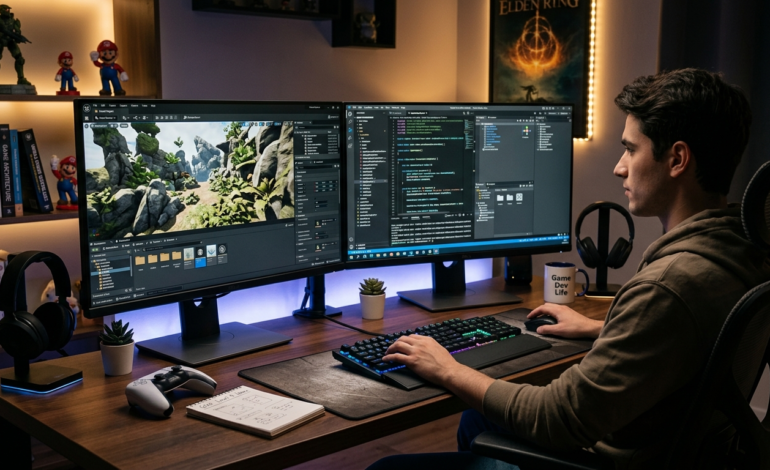
The global game development industry has evolved into a multi-hundred-billion-dollar technology driver, surpassing traditional entertainment sectors like film and music combined. At its core, game development is the multidisciplinary art and science of designing, programming, modeling, and publishing interactive digital experiences. Whether creating immersive virtual reality environments, massive online multiplayer battle arenas, or addictive mobile puzzle experiences, understanding the complete game development process is vital for any aspiring game developer or aspiring game development studio.
Today’s landscape offers unprecedented opportunities. Modern game development technology has democratized creation, allowing individuals to learn how to make a video game from scratch without traditional mega-budget studio backings. From classic 2D game development to high-fidelity 3D game development, the fusion of advanced graphics, complex physics, and intuitive user design forms the backbone of modern gaming.
- Global Industry Value: $200B+
- Leading Game Engines: Unreal Engine / Unity
- Dominant Platforms: Mobile & PC
2. Understanding Target Platforms: PC, Mobile, Console & Web
Before launching a project, choosing the right game development platform dictates your technical stack, performance budget, control scheme, and target demographic. Every platform requires distinct optimization techniques and game development frameworks.
PC Game Development
PC game development offers maximum hardware flexibility, allowing developers to push visual fidelity with advanced ray-tracing, intricate shader networks, and expansive open-world architecture. Developing for PC requires considering diverse hardware configurations, demanding robust graphical scalability settings and input customization (keyboard/mouse + gamepads).
Mobile Game Development
Focusing on mobile game development demands meticulous performance optimization. Touchscreen controls, battery consumption, thermal throttling, and massive device fragmentation (across iOS and Android) necessitate lightweight art assets, efficient memory management, and tailored user interface design. Learning how to develop a mobile game step by step opens access to billions of active mobile gamers worldwide.
Console & Web Game Development
Console game development (PlayStation, Xbox, Nintendo Switch) requires stringent platform compliance, specialized hardware development kits (SDKs), and strict certification procedures. Conversely, web-based gaming relies on lightweight HTML5 and WebGL frameworks for instant, browser-based accessibility.
3. The Core Phases of the Game Development Pipeline
A structured game development workflow is essential to prevent feature creep and complete projects on schedule. The industry standard game development pipeline is categorized into five critical stages:
- Concept & Pre-Production: Every successful game begins with a clear Game Design Document (GDD). The GDD outlines core gameplay mechanics, story arcs, character art styles, level progression, and technical requirements. Prototyping core mechanics early ensures the gameplay loop is engaging before heavy asset production begins.
- Production Phase: The primary execution stage where game programming, 3D character modeling, environment sculpting, sound synthesis, and level assembly converge within the chosen game development engine.
- Quality Assurance & Testing: Iterative playtesting and rigorous debugging to resolve performance bottlenecks, eliminate memory leaks, fix broken collisions, and fine-tune gameplay difficulty balance.
- Launch & Deployment: Building platform-specific executables, completing app store optimization (ASO) or Steam store configuration, setting up backend servers for online multiplayer, and managing day-one patches.
- Post-Launch Maintenance: Providing long-term community support, releasing balance updates, patches, downloadable content (DLC), and running live-ops events to maintain player engagement.
4. Top Game Engines and Software Tools Compared
Selecting the best game engine for beginner developers as well as seasoned professionals is a foundational decision. A modern game development engine provides rendering pipelines, physics engines, audio managers, and scripting environments out of the box.
| Game Engine | Primary Language | Best Suited For | Learning Curve |
| Unreal Engine | C++ / Blueprints | High-end 3D graphics, AAA titles, Cinematic PC/Console games | Moderate to High |
| Unity | C# | Cross-platform 2D & 3D, Mobile games, VR/AR experiences | Beginner-Friendly |
| Godot Engine | GDScript / C# | Lightweight 2D/3D games, Indie projects, Open-source dev | Very Easy |
| GameMaker | GML | 2D pixel-art games, rapid prototyping, beginner indie games | Extremely Easy |
Beyond engines, a comprehensive suite of game development tools is vital:
- 3D Modeling & Animation: Blender, Maya, ZBrush, Autodesk 3ds Max.
- 2D Graphics & Texturing: Photoshop, Aseprite (pixel art), Substance Painter.
- Audio Production: Audacity, Reaper, FMOD, Wwise.
- Version Control Systems: Git, GitHub, Perforce, Plastic SCM.
5. Essential Programming Languages for Game Developers
Understanding game development programming languages is key to writing clean, optimized logic. Choosing the best programming language for game development depends heavily on your software ecosystem:
- C++: The industry-standard powerhouse language. Used for low-level performance optimization, custom engine creation, and Unreal Engine development. Offers complete control over memory allocation.
- C#: Highly versatile, robust, and clean. The primary scripting language for Unity engine development, ideal for both mobile and multiplatform games.
- GDScript: A Python-like dynamically typed language specifically built for the Godot Engine, perfect for rapid development and clean code structures.
- JavaScript / TypeScript: Ideal for browser-based HTML5 game development using frameworks like Phaser.js or Three.js.
- Python: Frequently used for building editor extensions, pipeline automation tools, and backend server infrastructure.
6. Step-by-Step Guide: How to Start Game Development as a Beginner
If you are exploring how to learn game development from scratch, follow this structured, battle-tested learning path:
- Master the Basics of Code: Learn core computational logic (variables, loops, functions, object-oriented programming concepts).
- Select One Beginner-Friendly Engine: Start with Godot or Unity to avoid overwhelming complex toolsets early on.
- Recreate Classic Arcade Games: Build simple projects like Pong, Flappy Bird, Snake, or Space Invaders to master physics, collision detection, score tracking, and UI design.
- Enroll in Structured Training: Utilize dedicated courses, step-by-step tutorials, and official engine documentation.
- Join Developer Communities: Engage with active communities on Discord, Reddit (r/gamedev), and StackOverflow to troubleshoot bugs and receive constructive code reviews.
- Participate in Game Jams: Join events like Ludum Dare or Global Game Jam to build complete mini-games under tight time constraints (e.g., 48 to 72 hours).
7. Coding vs. No-Code Game Development
Can you get started with game development without coding? Yes! Modern visual scripting solutions allow non-programmers to implement complex gameplay mechanics without writing conventional code lines.
- Visual Scripting Frameworks: Unreal Engine’s Blueprints and Unity’s Visual Scripting (formerly Bolt) allow creators to connect node-based logic networks visually.
- Dedicated No-Code Engines: Platforms like Construct 3, Buildbox, and Stencyl enable complete game construction using drag-and-drop event sheet mechanics.
- The Verdict: While no-code tools provide a fantastic entry point for rapid prototyping, mastering code remains essential for advanced custom game mechanics, performance optimization, and enterprise scalability.
8. Indie Game Development vs. AAA Studio Production
The operational scale within the game development industry varies drastically between independent creators and blockbuster AAA studios.
- Indie Game Development: Characterized by small teams or solo creators operating on modest budgets. Indie focuses heavily on creative freedom, unique artistic styles, innovative gameplay mechanics, and agile workflows. Tools like Godot, Blender, and Unity form the core indie toolkit.
- AAA Game Studios: Large enterprises (such as EA, Ubisoft, Activision, Sony) employing hundreds of specialized developers, artists, sound engineers, and QA testers. Operating on budgets exceeding tens or hundreds of millions of dollars, AAA development focuses on ultra-realistic graphics, massive scale, and cinematic narratives.
9. Game Design Fundamentals: Mechanics, Level Design & Storytelling
Technical implementation alone does not make a game fun. Sound game design and development principles dictate how players feel while playing:
- Core Gameplay Loop: The primary cycle of actions players repeat continuously (e.g., Explore -> Combat -> Collect Loot -> Upgrade Equipment).
- Level Design & Pacing: Guiding the player intuitively through visual cues, lighting, environmental layout, and balancing difficulty curves to maintain engagement without causing frustration.
- Audio & Visual Feedback (Game Juice): Utilizing screen shake, particle effects, sound effects, and smooth animations to make player inputs feel responsive and satisfying.
- Interactive Narrative: Crafting compelling storylines, meaningful player choices, and memorable character arcs that drive emotional investment.
10. Monetization Strategies and Publishing
Transforming your project into a commercially successful endeavor requires choosing an effective business model during the planning phase:
- Premium Model (Pay-to-Play): Upfront purchase cost on platforms like Steam, GOG, PlayStation Store, or Xbox Marketplace. Common for story-driven indie and AAA games.
- Free-to-Play (F2P) with Microtransactions: Free downloading with optional in-app purchases (IAPs) for cosmetic skins, battle passes, or consumable items.
- Ad-Supported Models: Common in mobile pment, featuring banner ads, interstitial video ads, and rewarded video ads.
- Subscription Models: Distributing games through services like Xbox Game Pass, PlayStation Plus, or Apple Arcade.
11. Career Paths, Skills & How to Build a Portfolio
Pursuing a professionalt career requires developing target developer skills and showcasing them effectively:
Specialized Industry Roles
Key roles include Game Programmer, Gameplay Animator, Technical Artist, Level Designer, Audio Engineer, Systems Designer, and QA Lead.
Building an Out-of-the-Box Portfolio
Recruiters prioritize playable games over theoretical resumes. Host your polished game projects on itch.io or GitHub. Include short video gameplay demos, clear descriptions of your personal contributions, clean code snippets, and post-mortem breakdowns of engineering challenges you solved.
12. Conclusion & Actionable Roadmap for Beginners
Entering the world of is a deeply rewarding journey that fuses technical engineering with boundless artistic creativity. Whether your goal is to land a studio job, release your own blockbuster on Steam, or build fun weekend projects, the secret lies in starting small, finishing small projects, and continually building upon your skills.